


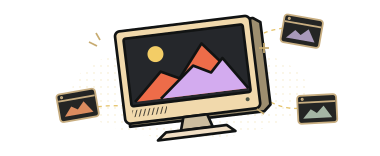
THE SHARED SCREEN
Watch.
Share from the native Mac app. Everyone opens your invite link in Chrome and sees the same screen.
Try Watch modeHost on your Mac. Teammates join in Chrome — every cursor has a name, and exactly one person drives.
First 50 get 2 months of Solo free. No card required.
Native macOS app Peer-to-peer video
One shared Mac · up to 3 viewers
A local simulation. No screen capture or live connection.
Watch the same screen, then hand off control.
THE SHARED SCREEN
Share from the native Mac app. Everyone opens your invite link in Chrome and sees the same screen.
Try Watch mode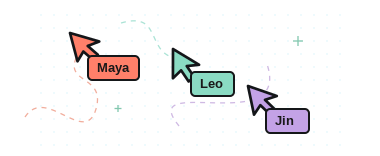
CURSOR PRESENCE
A name and a color for every cursor. Point at content, draw on the shared screen, and see who is pointing.
Try Follow mode
PASS THE CONTROLS
One person drives the mouse and keyboard at a time. Pass control when it's their turn. Everyone else can watch and point — invite links are revocable, and the host can take control back at any time.
Try Drive modeOne Mac stays put as the team's machine — everyone points at the same screen, and control passes hand to hand. Meeting calls share a window; Macaw shares the Mac itself, so named presence and control stay attached to the machine the work lives on.
Solo waitlist open. Team coming soon — both priced per shared Mac, not per person.
$15per shared Mac
per month
Core sharing, presence, and control for a small team around one Mac.
$30per shared Mac
per month
For teams that need more viewers and tighter control over who gets in.
Team launches after Solo — join the waitlist for launch news.
Waitlist only. No checkout today — prices shown are planned for launch.
Be among the first 50 to join and get two months of Macaw Solo free. Your two months start when you activate your account.
 MCW—050
No card required. No checkout today.
The details, before you join.
Only the host needs a Mac and the native Macaw app. Viewers join through an invite link in Chrome, without installing Macaw.
Exactly one person at a time has the mouse and keyboard. Everyone else can keep watching and pointing with a named, colored cursor.
The host runs the native macOS app, which needs macOS Screen Recording and Accessibility permissions. For shared sessions we recommend a dedicated macOS account so remote control stays contained.
Solo includes up to 3 viewers; Team is planned for up to 10. Six viewers have been verified in testing so far.
The first 50 people on the live waitlist get two months of Macaw Solo free. The two months start when you activate your account, not when you sign up. No card is required.
Remote control can do anything the macOS account can do, so we recommend a dedicated account for shared sessions. Invite links are single-session and revocable, the host can take control back instantly, and viewers get the shared screen — never direct file access.
In sessions, the shared screen and input travel peer-to-peer between the Mac and the viewer. Macaw's relay handles invites, signaling, and an audit of control events — not screen video or raw input. The demo on this page is a local simulation and captures nothing.
Viewers see the shared screen through a peer-to-peer video stream and can point with a named cursor. Only the person holding control gets mouse and keyboard input; everyone else stays in watch mode.
No. Solo is one shared Mac; up to 3 teammates join as named viewers in Chrome. The host needs the native app; viewers don't install anything.
Anyone holding a valid invite link can join that session. Invite links are single-session and revocable, and the host can take back control at any time. During the closed beta, access is by invite link only.
No. It is a local simulation with sample people and a sample desktop. It does not capture your screen, connect to another computer, or save demo activity.